AI Video Ads Generator: Create More Paid Social Variants Faster
Learn how to use an AI video ads generator to create hooks, scripts, visuals, captions, and paid-social variants from one product idea.

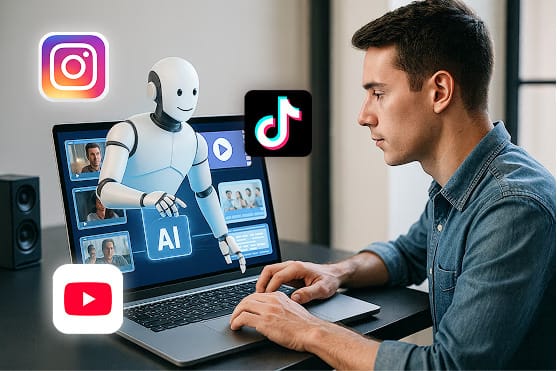
An AI video ads generator should do more than produce one polished clip. The real value is building a repeatable workflow for turning one product angle into many reviewed paid-social variants: hooks, scripts, visuals, captions, voiceover, CTAs, and platform-specific edits.
That distinction matters. Paid social teams do not usually lose because they need one more beautiful video. They lose because creative fatigue arrives fast, production is slow, and every new campaign needs more hooks than the team can manually film or edit. An AI video ads generator is useful when it helps you create, review, and test more ideas without lowering the quality bar.
If you want that kind of workflow, Clipwise is built for short-form video creation: scripts, visual direction, voiceover, captions, and fast iteration from a prompt or brief.
For adjacent buying research, see our guide to the best AI UGC video generators and the practical guide to AI video models.
Clipwise product proof
Create ad variants from one prompt, then refine them by workflow
Use Clipwise when you need more than a generic video: start with an ad angle, generate short-form drafts, review the script and visuals, then test hooks across Reels, TikTok-style videos, Shorts, and paid social. These are real vertical examples from Clipwise tool-page media, not placeholder mockups.
Try this workflow: generate one speed angle, one cost angle, and one product-demo angle. Keep the winner and make five hook variants before spending on a bigger production batch.
Quick Answer: What Is an AI Video Ads Generator?
An AI video ads generator is software that helps create short video ads from prompts, scripts, product descriptions, images, URLs, or campaign briefs. A basic tool gives you a video. A stronger workflow helps you build ad variants: five hooks, multiple angles, product moments, captions, voiceover, platform formatting, and a review process before launch.
The best use case is not replacing creative strategy. It is compressing production time so marketers can test more ideas. For example, one ecommerce product angle can become a TikTok-style demo, an Instagram Reels product benefit ad, a Facebook retargeting ad, and a YouTube Shorts explainer without starting from zero each time.
The Clipwise Point of View
The best AI video ads generator is not just a video model. It is a creative workflow.
Models can generate motion. Templates can make something look finished. But ad performance usually comes from a system:
- Pick one buyer and one pain point.
- Create multiple hooks.
- Turn the best hooks into short scripts.
- Generate visual scenes, captions, and voiceover.
- Review claims and product accuracy.
- Export variants for the platforms you actually use.
- Track which hook and angle worked.
Clipwise fits this workflow because it is designed around short-form production, not only one-off prompting. Use it to move from campaign idea to reviewed video drafts, then keep iterating while the campaign teaches you what works.
Best AI Video Ads Generator Options Compared
| Tool | Best For | Strength | Watchout |
|---|---|---|---|
| Clipwise | Short-form ad variants, product demos, Reels, Shorts, TikTok-style videos, voiceover-led ads | Combines script, visual direction, voiceover, captions, and chat-style iteration | Best when you want a repeatable short-form workflow, not only a single avatar clip |
| Creatify | Ecommerce product-to-ad workflows | Product URL or description to ad concepts | Still needs claim review, offer review, and creative judgment |
| InVideo | Guided ad creation and template-driven workflows | Accessible for beginners and teams that want guided editing | Can feel template-heavy if the strategy is weak |
| HeyGen | Avatar-led presenter ads | Strong presenter/avatar workflow | Better for spokesperson-style ads than broad visual storytelling |
| Arcads | AI actor UGC-style ad variants | Actor-led performance creative | Less useful if you need faceless, animated, product-demo, or voiceover-led formats |
| Canva | Lightweight ad design and social creative | Easy layouts, brand kits, quick edits | More design-led than AI video workflow-led |
| Generic video models | Visual experimentation and cinematic scenes | Strong motion generation or visual realism | Usually lacks full ad workflow, captions, review flow, and variant management |
If your goal is a single presenter clip, an avatar tool may be enough. If your goal is a repeatable paid-social creative engine, prioritize workflow depth: scripts, visual pacing, captions, variant speed, review control, and export fit.
How Clipwise Can Turn One Ad Idea Into Variants
Here is a concrete workflow you can run for a product or app.
Input
Product: AI short-form video creation tool.
Audience: ecommerce founder or growth marketer.
Pain point: ad production is slow and every new test needs more variants.
Offer: create short video drafts faster with Clipwise.
Platform: TikTok, Instagram Reels, Facebook, YouTube Shorts.
Clipwise Prompt
Create a 30-second paid social ad for founders who need more video ad variants. The hook should focus on making three product ad drafts from one idea. Use a practical, direct tone. Include visual scene ideas, voiceover, captions, and a final CTA to try Clipwise.
Output Structure
| Scene | Visual Direction | Voiceover | On-Screen Text |
|---|---|---|---|
| 1 | Founder staring at a blank ad brief | "Need more video ads, but tired of starting from scratch?" | Need more ad variants? |
| 2 | Product idea becomes three storyboard cards | "Start with one product angle and turn it into multiple short-form drafts." | 1 idea -> 3 drafts |
| 3 | Script, captions, and visuals appear in sequence | "Clipwise helps with scripts, visuals, voiceover, captions, and fast edits." | Script. Visuals. Captions. |
| 4 | Three vertical ad previews side by side | "Test different hooks before you spend more on production." | Test hooks faster |
| 5 | Clear CTA screen | "Create your next short video with Clipwise." | Try Clipwise |
Variants to Generate
| Variant | Hook | Best Use |
|---|---|---|
| Speed angle | "I made three ad drafts from one product idea." | Cold prospecting |
| Cost angle | "Test the ad before paying for a full shoot." | Founder and ecommerce audiences |
| Agency angle | "Client needs concepts by tomorrow? Start here." | Agency and freelancer audiences |
| Retargeting angle | "Still thinking about making video ads? Here is the faster path." | Warm audiences |
| Demo angle | "Watch one product prompt become a short ad." | Product-led campaigns |
This is where AI becomes useful. You are not asking it to make "the perfect ad." You are using it to generate enough structured options to find the message worth refining.
Copy-Paste Clipwise Prompts for Video Ads
Use these prompts as starting points inside Clipwise Video GPT.
| Goal | Prompt |
|---|---|
| Product demo ad | Create a 30-second product-demo video ad for [product]. Audience: [buyer]. Hook: show the result before explaining the product. Include five scenes, voiceover, captions, and a CTA to [offer]. |
| UGC-style ad | Create a UGC-style short video ad for [product] with a creator speaking directly to camera. Open with a pain point, show the product moment, add one reason to believe, and end with a clear CTA. |
| Retargeting ad | Create a 20-second retargeting ad for people who visited [landing page] but did not sign up. Address the main hesitation, show the fastest workflow, and end with a low-friction CTA. |
The important part is not the first output. The important part is the iteration loop: generate a draft, review the claims, ask Clipwise for three hook alternatives, then export only the best version.
What Makes a Good AI Video Ad?
A strong AI-assisted video ad still needs the same fundamentals as any good ad.
1. A Specific Hook
Weak:
"Introducing the ultimate AI video tool."
Stronger:
"I turned one product idea into three ad drafts without filming."
The stronger hook gives a situation, an outcome, and a reason to keep watching.
2. A Visible Product Moment
Many AI ads fail because they talk about the product but never show it. The viewer should see at least one of these:
- The product interface.
- The before and after.
- The generated video preview.
- The input prompt and output result.
- The customer workflow.
3. Short Captions
Captions should carry the story without becoming subtitles for every word. Use short phrases:
- "1 product idea"
- "3 ad drafts"
- "5 hooks to test"
- "Review before launch"
4. Reviewable Claims
Do not let AI invent performance promises. If the ad says "cut production time by 80%" or "increase conversions," that claim needs evidence. If you do not have evidence, make the claim about workflow, not guaranteed results.
5. Platform Fit
Meta's ad guide and YouTube Ads resources point in the same practical direction: get attention quickly, make the brand or product clear, connect the message to the viewer, and give a clear direction or CTA.
That does not mean every platform needs a totally different ad. It means every version should respect mobile behavior, vertical framing, early clarity, and concise copy.
Sample Scripts You Can Use
Ecommerce Product Demo Script
Hook: "I made this product ad without booking a shoot."
Script: "Start with one product photo and one benefit. Clipwise turns the idea into a short video draft with visual scenes, voiceover, captions, and a clear CTA. Review the claims, adjust the hook, and export a version for TikTok, Reels, or Shorts. If you need more ad concepts before your next campaign, create your next short video with Clipwise."
Best CTA: "Create your product video."
SaaS Feature Ad Script
Hook: "Your feature launch needs more than one announcement post."
Script: "Turn one feature into a short video ad. Start with the problem, show the workflow, explain the benefit, and add a CTA that sends people to the right page. Clipwise helps you create the script, visuals, voiceover, and captions so your team can test more than one message."
Best CTA: "Generate your first feature ad."
App Install Ad Script
Hook: "Show the app result before you explain the app."
Script: "People scroll past vague app ads. Start with the outcome, then show the steps. With Clipwise, you can create a short app demo, add captions, test a few hooks, and export vertical drafts for paid social."
Best CTA: "Try the app workflow."
Agency Concept Ad Script
Hook: "Client needs video ad concepts by tomorrow?"
Script: "Start with the product brief, create three angles, generate first-pass scripts, and turn them into short video drafts. Clipwise helps agencies move faster from idea to reviewed creative without pretending that AI removes strategy."
Best CTA: "Create client-ready concepts."
Retargeting Ad Script
Hook: "Still planning your first video ad?"
Script: "You do not need to start with a studio shoot. Start with one product angle, generate a short-form draft, review the message, and test the hook. Clipwise helps turn your idea into a video you can refine before launch."
Best CTA: "Start with one video."
Testing Matrix: 5 Hooks x 3 Angles x 2 CTAs
Use this simple matrix before you publish.

| Component | Variants |
|---|---|
| Hooks | Speed, cost, demo, objection, founder POV |
| Angles | Product demo, problem-solution, comparison |
| CTAs | "Try Clipwise" and "Create your next video" |
| Formats | Voiceover-led and faceless/product-led |
That gives you up to 60 possible creative combinations. You should not publish all 60. Generate the set, choose the strongest 6 to 10, and keep the naming clean so you know what you tested.
Good naming example:
speed-hook_product-demo_try-clipwise_voiceover_v1
Bad naming example:
final-ad-new-new-3
Platform Notes for AI Video Ads
TikTok Ads
TikTok creative should feel native to the feed. Use a strong first-frame hook, fast pacing, vertical framing, and simple captions. Before writing the hook, review current in-feed patterns from active ads and organic short-form videos in your category.
Instagram Reels Ads
Reels ads need fast visual comprehension. Show the product or outcome early, keep captions readable, and avoid opening with a slow brand intro. For product-led ads, a before/after or workflow transformation can work better than a generic product claim.
Facebook Video Ads
Facebook can work well for retargeting, ecommerce offers, and problem-solution ads. Meta's video ads guide is a useful reference for placement and format expectations. Match the ad promise to the landing page so the click does not feel like a bait-and-switch.
YouTube Shorts Ads
YouTube Ads resources are a useful reference point for video ad planning. For Shorts-style ads, open with the result or tension, keep the product visible, and make the CTA obvious.
Buying Criteria: How to Choose an AI Video Ads Generator
Use this checklist before choosing a tool.
| Criteria | Why It Matters |
|---|---|
| Hook generation | Ad testing starts with the opening line |
| Script control | Generic scripts produce generic ads |
| Visual scene planning | The viewer needs to see the product or outcome |
| Captions | Most short-form ads need readable on-screen text |
| Voiceover or presenter options | Different offers need different delivery styles |
| Variant speed | One ad is not enough for serious testing |
| Review workflow | Claims, pricing, and product details must be checked |
| Platform exports | TikTok, Reels, Facebook, and Shorts need mobile-first formats |
| Internal collaboration | Agencies and teams need repeatable review steps |
Clipwise is strongest when the priority is repeatable short-form production: prompts, scripts, visual direction, voiceover, captions, and edits in a workflow your team can review.
Common Mistakes With AI Video Ads
Mistake 1: Asking for "a video ad" Instead of a Specific Angle
Bad prompt:
Make a video ad for my product.
Better prompt:
Create a 30-second product-demo ad for ecommerce founders who need more ad variants. The hook should focus on making three drafts from one product idea. Include visual scenes, captions, voiceover, and a CTA to try Clipwise.
Mistake 2: Publishing the First Output
Treat the first output as a draft. Review the hook, product moment, claim accuracy, caption readability, and platform fit.
Mistake 3: Hiding the Product
If the product is never visible, the viewer has no reason to believe the ad. Show the product, workflow, result, or before/after moment.
Mistake 4: Making Every Ad Look the Same
AI makes it easy to produce many videos with the same structure. That creates fatigue fast. Vary the hook, angle, visual opening, CTA, and pacing.
Mistake 5: Using Unsupported Claims
Avoid claims about revenue, conversion lift, savings, health, finance, legal outcomes, or guaranteed performance unless you can support them.
Recommended Clipwise Workflow
- Start with one paid-social objective.
- Write one audience and one pain point.
- Generate five hooks in Clipwise.
- Pick three angles.
- Create two CTA variants.
- Generate short video drafts.
- Review claims, captions, product accuracy, and landing-page match.
- Export the strongest variants.
- Track results by hook and angle.
- Feed the winning message back into the next batch.
This is the core reason to use an AI video ads generator: not because it magically knows your market, but because it lets you move through the testing loop faster.
Create your next short video with Clipwise Video GPT, or start with the Clipwise AI video generator if you want a broader short-form production workflow.
FAQ
What is the best AI video ads generator?
The best AI video ads generator depends on the workflow. Clipwise is a strong fit for short-form ad variants, scripts, visuals, voiceover, captions, and reviewable drafts. Creatify is useful for ecommerce product-to-ad workflows. HeyGen and Arcads are stronger for avatar or actor-led ads. InVideo is useful for guided template-style creation.
Is Clipwise an AI video ads generator?
Yes. Clipwise can support AI video ad creation by helping teams generate short-form video drafts, scripts, visual direction, voiceover, captions, and variants for TikTok, Instagram Reels, Facebook, and YouTube Shorts.
Can I make TikTok ads with an AI video ads generator?
Yes. Start with a TikTok-native hook, vertical framing, short captions, and a clear product moment. Use AI to create variations, then review the final ad for claim accuracy and platform fit before launching.
Can AI video ads replace UGC creators?
AI video ads can replace some early concept testing and low-stakes creative production. They should not replace real creators when authenticity, lived experience, customer proof, or creator audience trust is the reason the ad works.
How many AI video ad variants should I create?
For a first test, create five hooks, three angles, two CTAs, and two formats. Narrow that set to the strongest 6 to 10 videos before publishing.
What should an AI video ad script include?
Use a simple structure: hook, problem, product moment, benefit, proof or reason to believe, and CTA. Keep sentences short and make the visual direction clear.
Are free AI video ad generators good enough?
Free tools can help with early ideas, rough scripts, or basic visuals. For serious paid social testing, you usually need better control over scripts, captions, exports, brand fit, and review workflow.
Do AI video ads convert?
They can, but conversion depends on the offer, audience, hook, landing page, creative quality, and testing plan. The generator helps you create more variants faster; it does not guarantee performance.
'/%3E%3Crect x='40' y='40' width='1120' height='670' rx='36' fill='url(%23b)' stroke='%2326282c'/%3E%3Ccircle cx='600' cy='300' r='78' fill='%23e8107f'/%3E%3Cpath d='M568 254v92l86-46z' fill='%23fff'/%3E%3Ctext x='600' y='470' fill='%23f4f4f5' font-family='Arial,sans-serif' font-size='54' font-weight='800' text-anchor='middle'%3EClipwise%3C/text%3E%3Ctext x='600' y='526' fill='%2397979f' font-family='Arial,sans-serif' font-size='28' font-weight='700' text-anchor='middle'%3EAI video ideas and playbooks%3C/text%3E%3C/svg%3E)