Best AI Video Models in 2026: The Practical Guide for Creators and Marketers
Compare the best AI video models in 2026, including Veo 3.1, Sora 2, Runway Gen-4.5, Kling AI 3.0, Luma Ray3.14, and Pika 2.2.
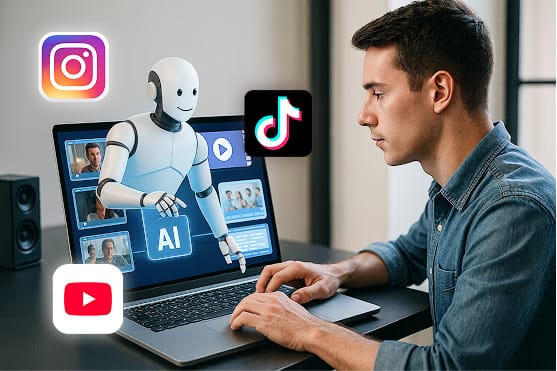
Best AI video models in 2026 is no longer a simple ranking question. The right model depends on what you are making: short social ads, cinematic product shots, faceless YouTube clips, avatar content, image-to-video animations, or polished brand campaigns.
As of May 2026, the strongest AI video models are converging around five capabilities: realistic motion, prompt adherence, native audio, character consistency, and production control. Some models are better for fast social content. Others are better for cinematic realism, 4K output, or API-driven workflows.
This guide compares the top AI video models in 2026 and gives you a practical way to choose the best one for your workflow.
Find your best AI video model workflow faster -> Start now
Quick answer: the best AI video models in 2026
| AI video model | Best for | Standout strength |
|---|---|---|
| Google Veo 3.1 | Cinematic video with audio and creative controls | Realism, audio-video alignment, reference-based control |
| OpenAI Sora 2 / Sora 2 Pro | Developer workflows, fast iteration, synced audio clips | API access, text/image-to-video, remixing, production variant |
| Runway Gen-4.5 | Filmmakers, ads, visual fidelity, creative control | High-end motion quality and cinematic output |
| Kling AI 3.0 | High-resolution AI video and multimodal generation | Video, image, audio, and text in one multimodal workflow |
| Luma Ray3.14 / Ray3 family | Fast 1080p/HDR video generation and video modification | Speed, HDR workflows, keyframes, video-to-video editing |
| Pika 2.2 | Social-first creative effects and quick video concepts | Pikaframes, short-form effects, simple creator workflow |
1. Google Veo 3.1: best overall for cinematic AI video
Google Veo 3.1 is one of the strongest choices for creators who care about cinematic realism, scene control, native audio, and polished visual output. Google positions Veo as a leading video generation model for filmmakers and storytellers, with expanded controls for reference images, character consistency, scene extension, first-and-last-frame transitions, outpainting, object insertion, object removal, and motion controls.
The biggest reason Veo stands out in 2026 is that it treats video as more than silent moving images. It can generate audio alongside video, which makes it more useful for ads, storytelling, product scenes, explainers, and social content where ambience, sound effects, or dialogue matter.
Choose Veo 3.1 if you need:
- Cinematic realism and strong physics
- Native audio generation
- Creative controls for characters, objects, scenes, and camera motion
- 1080p or 4K-oriented production workflows
- High-quality video for brand campaigns or polished storytelling
Best use case: cinematic product ads, short films, premium explainers, branded social videos, and high-quality visual storytelling.
2. OpenAI Sora 2 and Sora 2 Pro: best for API-driven video generation
OpenAI's Sora API gives developers a structured way to create, retrieve, remix, and manage AI-generated videos. The API supports text prompts and image references, and OpenAI documents two variants: sora-2 for faster exploration and sora-2-pro for higher-quality production output.
Sora 2 is a strong fit when you want to build video generation into a product, workflow, or automated content pipeline. It is especially useful for rapid iteration, social clips, prototypes, rough cuts, and higher-quality marketing assets when using the Pro variant.
Choose Sora 2 if you need:
- Programmatic video generation through an API
- Synced audio output
- Fast iteration for concepts and social content
- Remixing and workflow automation
- A higher-quality option through Sora 2 Pro
Important note: OpenAI's public Sora product availability has changed over time, so check the current Sora API docs before building around it. For production systems, treat model availability, rate limits, safety restrictions, and pricing as live variables.
Best use case: developer products, automated video workflows, rapid creative iteration, and marketing video generation pipelines.
3. Runway Gen-4.5: best for visual fidelity and creative control
Runway Gen-4.5 is built for creators who want high-end video quality, strong prompt adherence, motion quality, and visual fidelity. Runway describes Gen-4.5 as a best-in-class AI video generation model with cinematic, realistic outputs and precise creative control.
Runway has long been popular among filmmakers, editors, and agencies because it thinks like a creative tool, not only a model endpoint. If you are producing ad concepts, storyboards, brand films, music videos, or stylized scenes, Runway remains one of the most practical AI video platforms in 2026.
Choose Runway Gen-4.5 if you need:
- Cinematic visual fidelity
- Strong motion quality
- Creative controls for filmmakers and agencies
- Professional-grade concepting and previsualization
- A mature creative interface
Best use case: ad concepts, previsualization, campaign footage, music videos, visual experiments, and creator-led film workflows.
4. Kling AI 3.0: best for high-resolution multimodal generation
Kuaishou's Kling AI 3.0 is one of the most ambitious AI video model releases of 2026. The company announced a model series that includes Video 3.0, Video 3.0 Omni, Image 3.0, and Image 3.0 Omni, with a full multimodal workflow spanning text, images, audio, and video.
Kling is especially interesting for creators who want stronger narrative control and consistency. Its multimodal direction matters because video production rarely starts from a single text prompt. Real workflows involve scripts, reference images, product shots, voiceover, brand assets, and existing clips.
Choose Kling AI 3.0 if you need:
- High-resolution AI video generation
- Multimodal input and output
- Stronger narrative control
- Character and scene consistency
- A model family designed around video understanding, generation, and editing
Best use case: high-quality AI video scenes, multimodal storytelling, character-led clips, and creators experimenting with advanced video workflows.
5. Luma Ray3.14 and Ray3: best for fast 1080p/HDR generation and video modification
Luma's Ray model family is a strong option for creators who want fast generation, polished motion, and flexible workflows. Luma describes Ray3.14 as a fast default workhorse with native 1080p, HDR support, multiple aspect ratios, start/end keyframes, and video modification workflows.
That makes Luma particularly practical for modern content teams. A creator might generate a 16:9 YouTube scene, reframe it for TikTok, extend it for a longer version, or modify the lighting and style of an existing clip. Those workflows matter more than a single perfect generation.
Choose Luma Ray3.14 or Ray3 if you need:
- Fast video generation
- Native 1080p and HDR workflows
- Start and end frame controls
- Multiple aspect ratios for social platforms
- Video-to-video modification and restyling
Best use case: social videos, product storytelling, fast creative iteration, video restyling, and multi-platform content production.
6. Pika 2.2: best for social-first creative effects
Pika is built around playful, social-first video creation. Pika 2.2 supports 720p and 1080p outputs, short text-to-video and image-to-video generations, and Pikaframes, which can generate transitions between first and last frames.
Pika is not always the model you choose for the most cinematic campaign, but it is often a smart choice for scroll-stopping social formats. If your goal is quick concepts, surreal effects, meme-friendly motion, creator experiments, or short clips for TikTok and Instagram, Pika can be a fast, accessible option.
Choose Pika 2.2 if you need:
- Quick social video generation
- Image-to-video effects
- First-frame to last-frame transitions
- Creator-friendly editing features
- Short-form experimentation
Best use case: social-first hooks, viral effects, quick creative experiments, short clips, and creator content.
Turn a winning model into a repeatable content engine -> Start now
How to choose the right AI video model
The best AI video model is the one that matches your output format and workflow. Use this simple decision framework:
For cinematic brand videos
Start with Veo 3.1 or Runway Gen-4.5. These are better fits when visual quality, realism, camera motion, and polish matter more than raw speed.
For API workflows and automation
Start with Sora 2 or Sora 2 Pro if your team needs a developer-friendly video generation API. This is the most natural route for apps, dashboards, automated content pipelines, and programmatic rendering.
For high-resolution multimodal generation
Test Kling AI 3.0, especially if your workflow uses text, images, audio, and video together. Kling is a serious contender for creators who care about consistency and richer input control.
For fast social content
Use Luma or Pika for quick iteration. These are especially useful for creators who need many variations, aspect ratios, hooks, and platform-specific versions.
For faceless YouTube or short-form content at scale
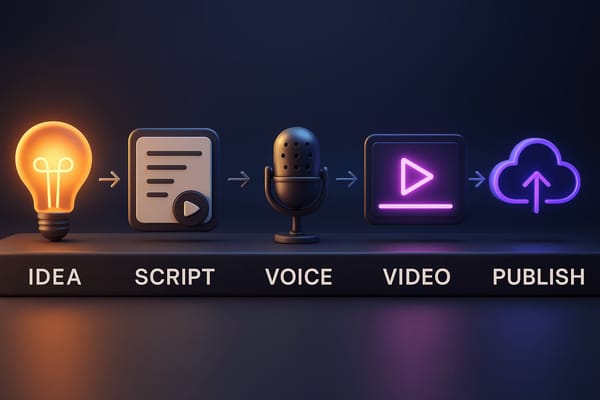
Use a workflow tool like Clipwise.ai to turn scripts, prompts, visuals, and video formats into repeatable content. The model matters, but the workflow matters more when you need to publish consistently.
AI video model comparison by use case
| Use case | Best model choices | Why |
|---|---|---|
| Cinematic ads | Veo 3.1, Runway Gen-4.5 | High realism, visual fidelity, production controls |
| Developer API workflows | Sora 2, Sora 2 Pro | Structured video API, remixing, automation |
| High-resolution video | Kling AI 3.0, Veo 3.1 | Advanced output quality and multimodal generation |
| Fast social videos | Luma Ray3.14, Pika 2.2 | Speed, effects, aspect ratios, quick iteration |
| Faceless YouTube content | Clipwise workflow + Luma/Pika/Veo-style generation | Repeatable scripts, visuals, narration, and formats |
| Product demos | Veo 3.1, Runway Gen-4.5, Luma | Controlled shots, realistic motion, reusable visual assets |
What makes an AI video model "best" in 2026?
In 2026, the best AI video models are not judged only by realism. A useful model needs to perform across the whole content workflow.
1. Prompt adherence
The model should follow details about subject, shot type, camera movement, lighting, setting, action, and style. Strong prompt adherence means fewer wasted generations.
2. Motion consistency
Good AI video should avoid flicker, warped hands, unstable objects, unnatural camera movement, and broken physics. Motion quality is often what separates a usable clip from an obviously generated one.
3. Character and object consistency
For brand storytelling, characters, products, and environments need to remain consistent across shots. Reference-image workflows and character controls are becoming essential.
4. Audio generation
Native audio is becoming a major differentiator. Dialogue, ambience, sound effects, and audio-video alignment can reduce editing time and make generated clips feel more complete.
5. Editing and control
The future is not just "type a prompt and get a clip." The best tools let you extend, remix, reframe, outpaint, insert objects, remove objects, and modify existing video.
6. Workflow fit
A model can be impressive but still be wrong for your team. Marketers need speed and repeatability. Filmmakers need control. Developers need APIs. Social creators need hooks and volume.
Best AI video model for marketers
For marketing teams, the best AI video model is usually the one that produces many usable variations quickly. You need hooks, angles, intros, product shots, captions, and platform-specific versions. That often means combining a high-quality generation model with a workflow platform.
A practical marketing stack might look like this:
- Use Veo or Runway for hero visuals and cinematic product shots.
- Use Luma or Pika for fast variations and social-native concepts.
- Use Sora API for automated generation inside a product workflow.
- Use Clipwise to package scripts, voiceover, visuals, and short-form output at scale.
Best AI video model for creators
For creators, the best model depends on your format:
- TikTok/Reels: Pika, Luma, and workflow tools like Clipwise.
- YouTube Shorts: Luma, Pika, Veo, and Clipwise for repeatable production.
- Faceless YouTube: Clipwise for scripts and video assembly, plus AI video models for scene generation.
- Cinematic concepts: Veo 3.1 and Runway Gen-4.5.
- Experimental visuals: Pika and Runway.
Best AI video model for businesses
Businesses should prioritize reliability, rights, workflow integration, and brand control. A model that creates stunning clips is useful only if your team can safely use it for real campaigns.
Look for:
- Commercial usage terms
- Watermark and disclosure options
- Brand safety controls
- Reference image support
- API or automation support
- Consistent output quality
- Fast iteration for campaign testing
FAQs about the best AI video models in 2026
What is the best AI video model in 2026?
For overall cinematic quality, Veo 3.1 and Runway Gen-4.5 are among the strongest options. For API-driven workflows, Sora 2 and Sora 2 Pro are strong choices. For fast social content, Luma and Pika are practical options.
Which AI video model is best for social media?
Pika, Luma, and workflow tools like Clipwise are strong for social media because they support fast iteration, short clips, visual hooks, and platform-specific formats.
Which AI video model has the best audio?
Veo 3.1 and Sora 2 are strong choices for video with synced or native audio. Kling AI 3.0 also emphasizes multimodal video generation with audio as part of its broader model series.
Which AI video model is best for developers?
Sora 2 is one of the clearest choices for developers because OpenAI documents a dedicated video API for creating, retrieving, remixing, and managing generated videos.
Which AI video model is best for faceless YouTube channels?
For faceless YouTube, the best result usually comes from a workflow rather than one model. Use a tool like Clipwise for scripts, structure, narration, and output, then use AI video models for scenes, backgrounds, product shots, or motion assets.
Final verdict
The best AI video model in 2026 depends on the job:
- Best overall cinematic model: Google Veo 3.1
- Best for API workflows: OpenAI Sora 2 / Sora 2 Pro
- Best for filmmakers and visual fidelity: Runway Gen-4.5
- Best for multimodal high-resolution generation: Kling AI 3.0
- Best for fast social production: Luma Ray3.14 and Pika 2.2
- Best for repeatable creator workflows: Clipwise.ai
If you are creating one beautiful shot, choose the model with the strongest visual output. If you are publishing every week, choose the workflow that helps you produce consistently.
That is where Clipwise.ai fits: it helps creators and marketers turn ideas, scripts, and video formats into repeatable content, without rebuilding the production process from scratch every time.
Start your AI video creation workflow with Clipwise -> Start now